

As announced in February, we are moving to a new test delivery platform for the LSAT, beginning with the August 2026 test. Combined with the return to in-person testing, the new test delivery platform will help us to maintain the security and integrity of the LSAT for years to come.
The new platform means a few User Interface (UI) changes for test takers. To help students prepare, we’re providing all Official LSAT PrepTests in the LawHub library in the new UI, so people can practice with the new platform.
One feature that works differently in the new UI is highlighting, so take the time to get familiar with the new highlighting functionality.
In response to user feedback, we’ve made sure highlighting in the new UI extends to every aspect of every question – the stimulus, question stem, and answer choices. There are four highlighting colors, and each color also has its own underlining format.
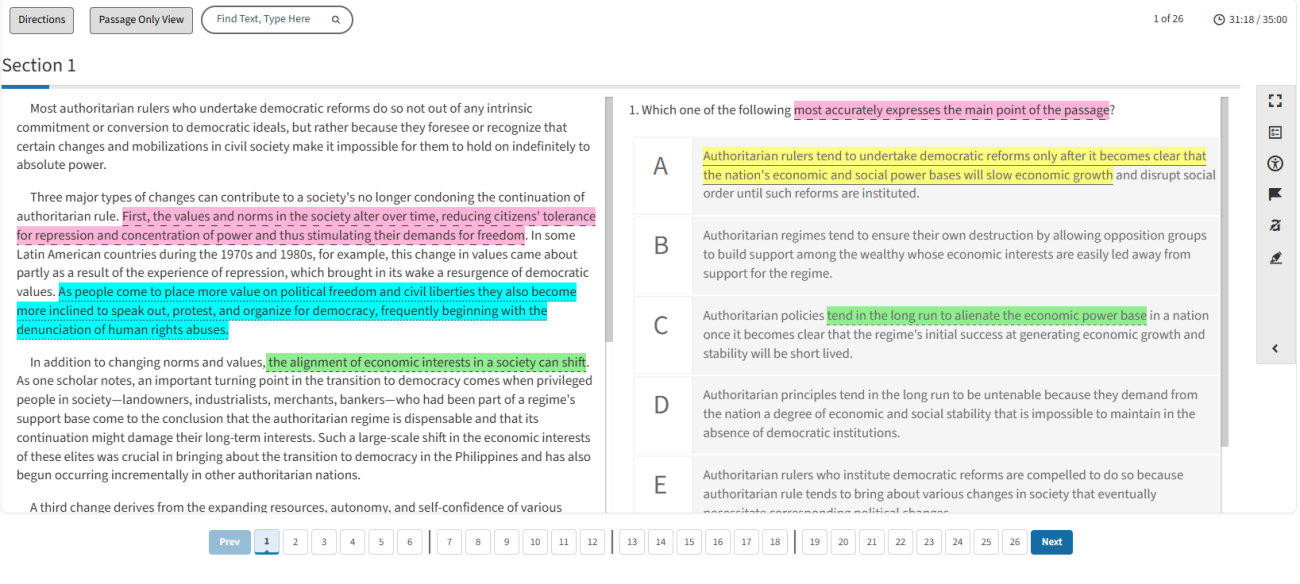
To highlight text, simply select the text you want to highlight. A pop-up will automatically appear, and you can select any of the four highlighting/underlining combinations.
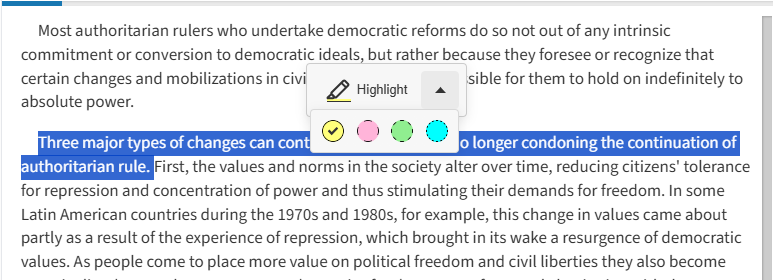
You can use one color for all your highlighting, or you can use different colors for different text, whatever works for you.
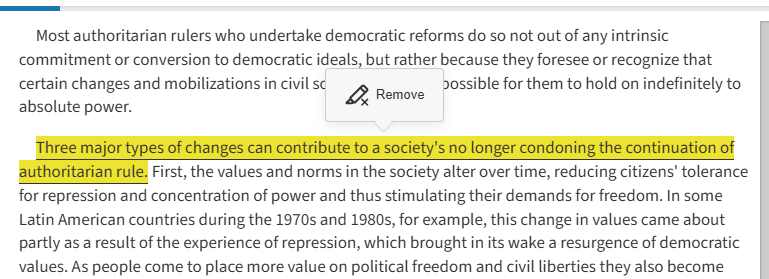
To remove highlighting from text, simply select anywhere within a highlighted passage. A pop-up will automatically appear, asking if you want to remove the highlighting for that particular block of text.
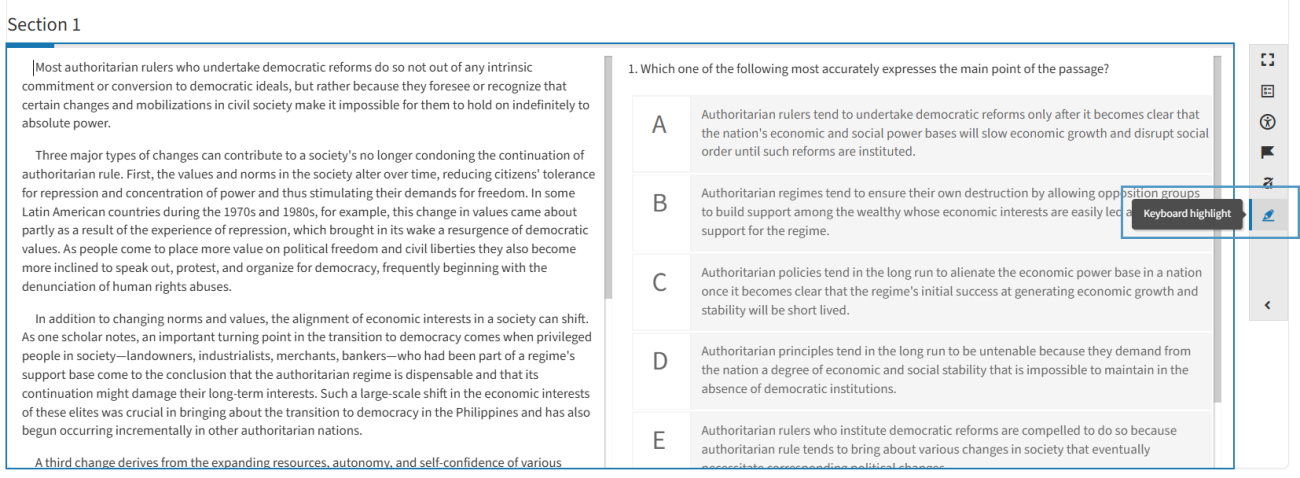
You can also access highlighting/underlining keyboard commands via the keyboard highlight option in the menu bar at the right side of the screen.
If you use highlighting as part of your test taking strategy, please take the time to familiarize yourself with the new functionality so you are comfortable and prepared on test day.